|
Blog post by Marco Altini We have made a small change to the next version of the HRV4Training app on iOS and Android to allow you to quickly hide your daily score and historical data on race or match day. Needless to say, there are days in which we might not be able to do much about our physiological stress level (for example race day), or when the value might be less representative of a poor response, and simply affected by things such as race excitement, an isolated poor night of sleep, etc. All of these circumstances can still have a psychological impact for some, especially on race day. In the app, you can always hide your score before the measurement from Menu / Settings and unchecking the "Show daily advice" box. However, it might just be too many steps to remember first thing in the morning Thus, in the next version of the app, you will be able to quickly hide your daily scores when filling in your questionnaire. First make sure to have the "training phase" tag enabled, as shown below: 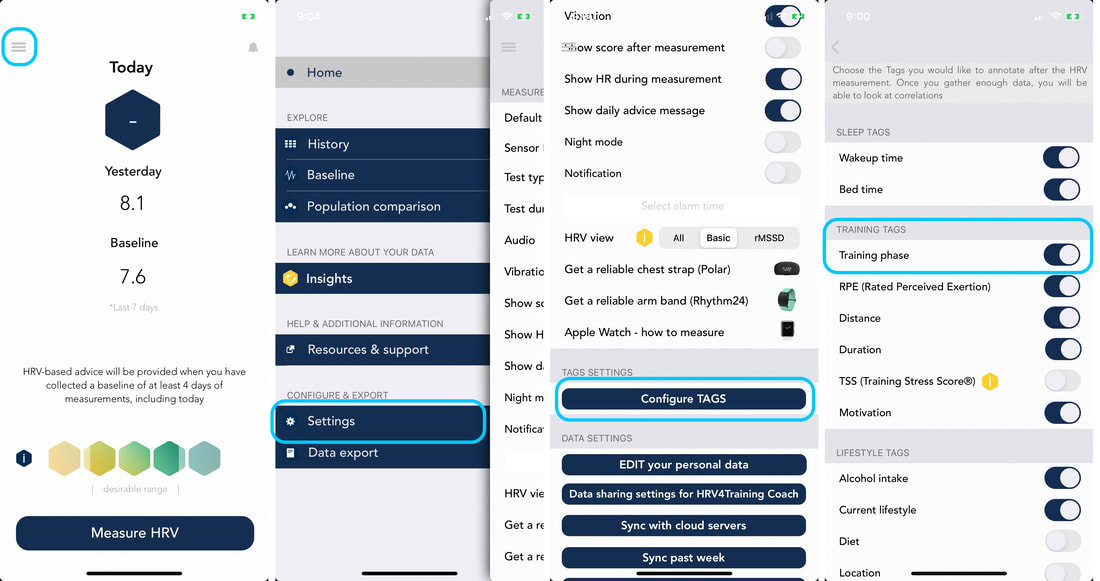 Then, on race or match day you simply need to select "Competing | Hide HRV" and the app will not show you your score. On the following day you can simply select a different training phase to see your data again. Alternatively, you can always re-enable your daily score by going to Menu / Settings and checking the "Show daily advice" box. 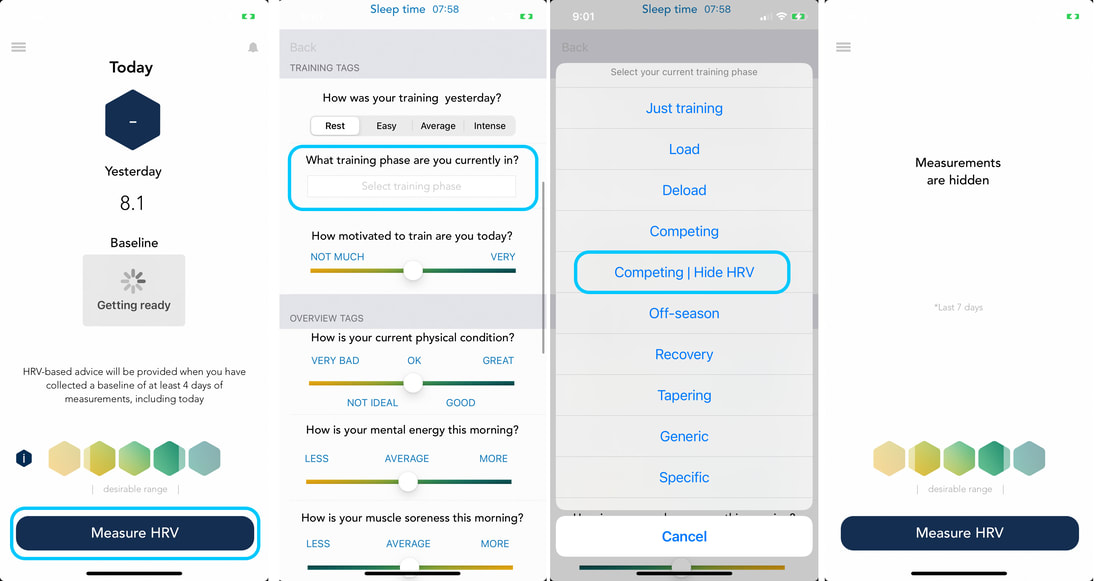 We hope you'll find this improvement useful. Enjoy and take care!
Comments are closed.
|


Register to the mailing list
and try the HRV4Training app! 

|
