|
In this post we highlight a recent feature we have helped to help you keep track of your improvements during speed sessions or specific workouts. In particular, as runners or cyclists, there are a few workouts that we might tend to do over and over again during different phases of our training plan, which help developing certain skills (e.g. neuromuscular fitness and speed as well as VO2max). Countless times we had to go back an forth in our log to see how much progress we had made, browsing months of data and trying to do the math on our average splits and recoveries. To make the process easier, we built the Intervals Analysis feature in HRV4Training Pro, which lets you pick the following:
Then the analysis will show you number of reps, average duration, speed or pace and heart rate or power data. This way you can easily track improvements (or lack thereof) over time. What do I need to for this analysis to work?Note that you need to use Strava and to track Laps in your workouts, otherwise this analysis won't work. If you have your Laps in Strava correctly set matching your intervals, then we will be able to analyze the data as shown below. 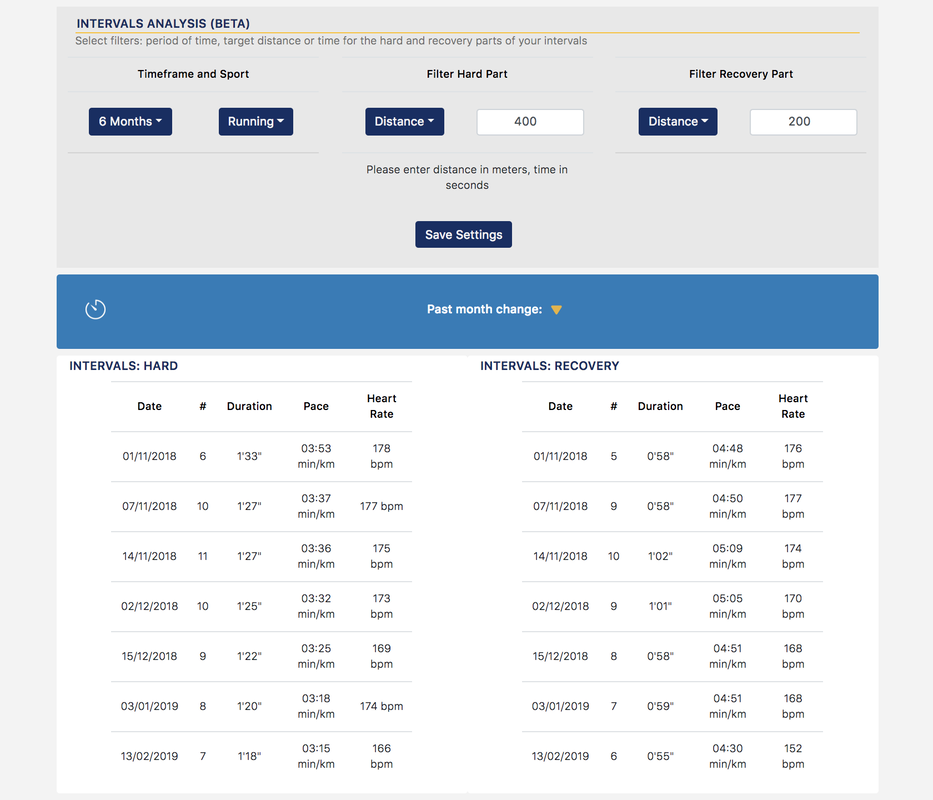 Can't see your workout data?If you have linked your Strava to HRV4Training and still can't see your intervals, make sure recorded laps match what you are searching for. You can see your laps in Strava from the Laps screen shown below. Note that your power and heart rate data musth also be recorded correctly. Feel free to contact us if you think everything is configured correctly but you still are unable to see your intervals. 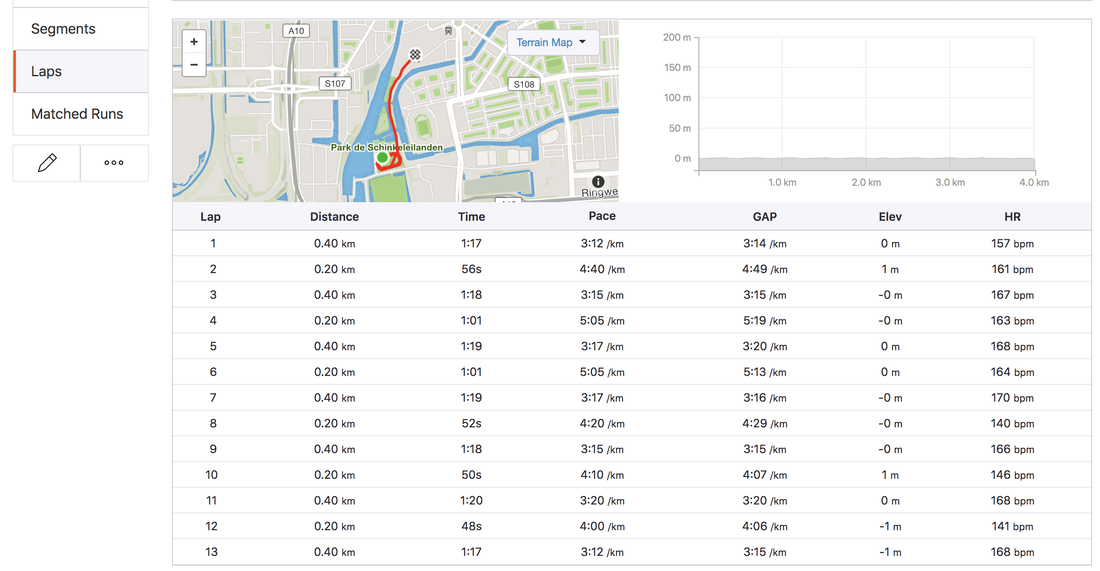 Comments are closed.
|


Register to the mailing list
and try the HRV4Training app! 

|
