|
Blog post by Marco Altini If you have any questions or doubts before getting started with your team, feel free to send me a quick message on Twitter - we're here to help! We have modified the Coach Panel in HRV4Training Pro to allow you to display the Overview page directly in the panel, without the need to navigate to each athlete's individual pages. You can choose between heart rate and heart rate variability, as well as add color-coding based on annotations. The Overview page (more info here) is probably the most important single page in the platform, as it shows daily scores, normal values and baseline, making it really easy to quickly understand how things are trending, and how an athlete is responding to training and lifestyle stressors. As you can see from the images below, tapping "Show Overview" you will be able to see the plots directly in the Coach Panel, and save a little time during your daily check-ins. You can now also pick the type of physiological parameter (HR or HRV) and annotation (context, visualized in terms of color coding). We hope you'll enjoy the new feature, which you can try at HRV4T.com Below you can see a few screenshots of this new functionality. 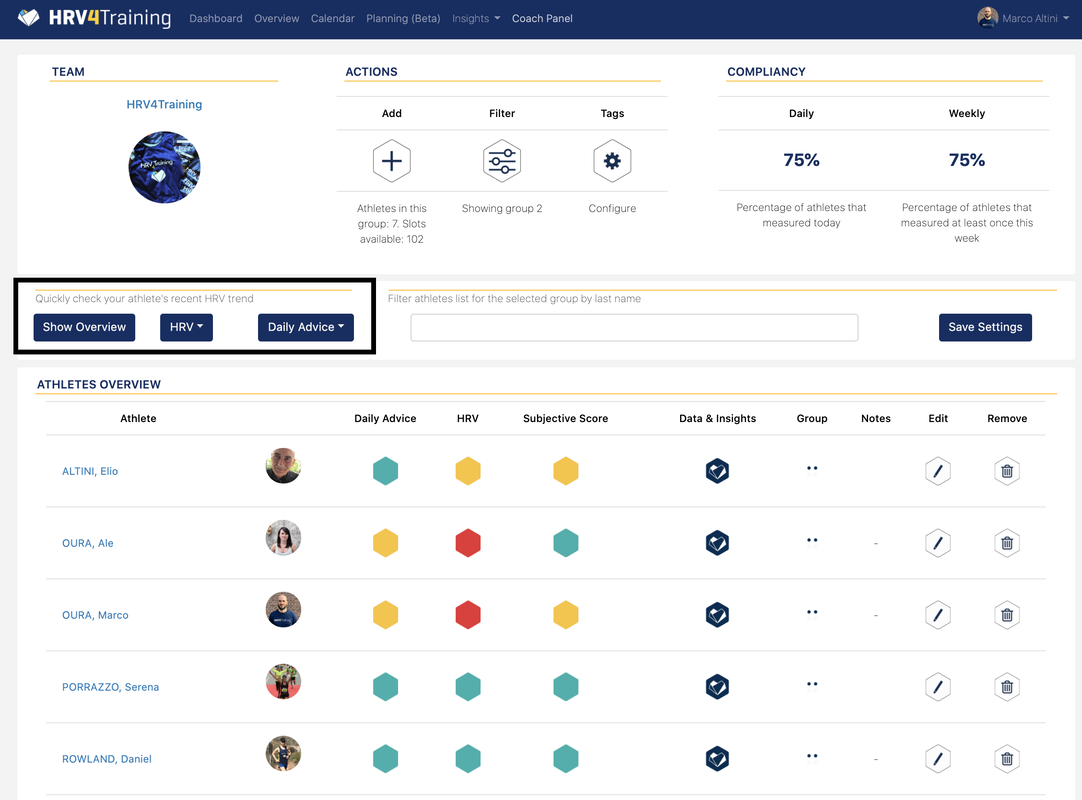 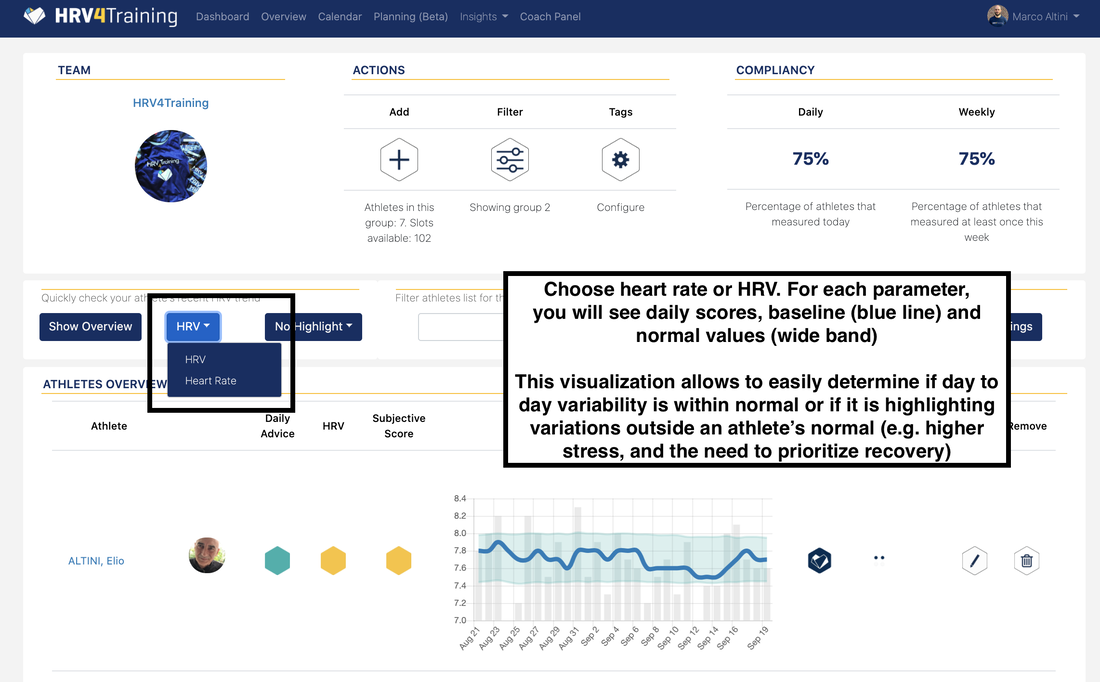 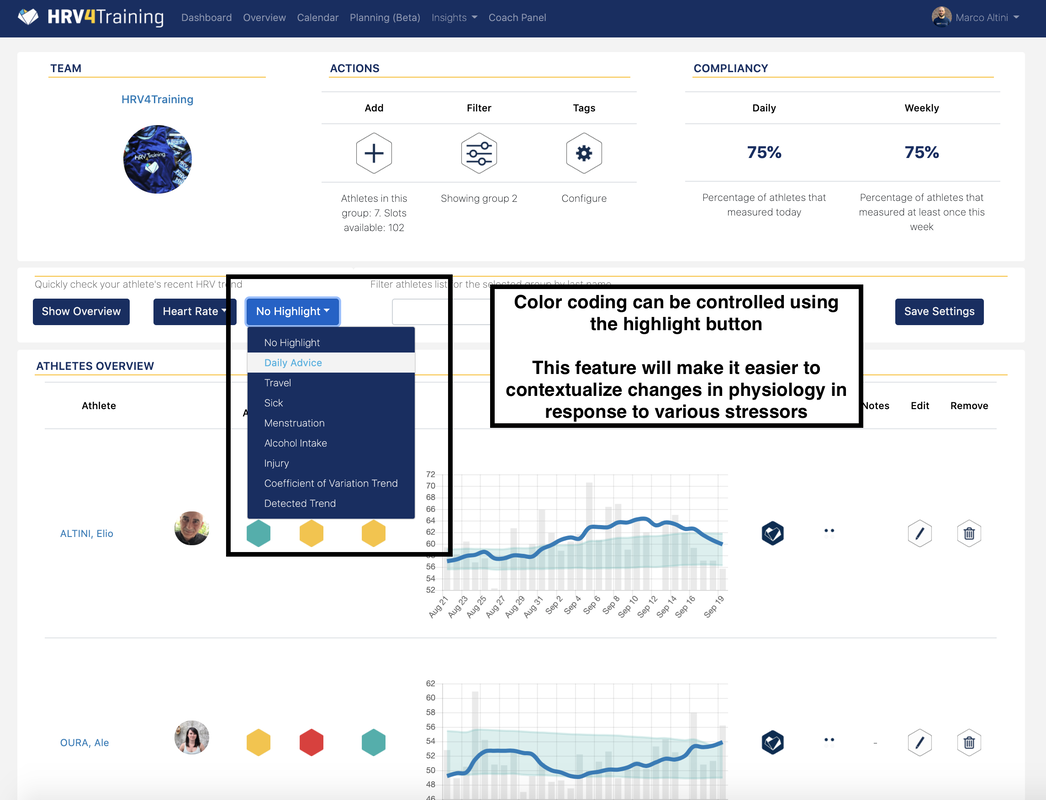 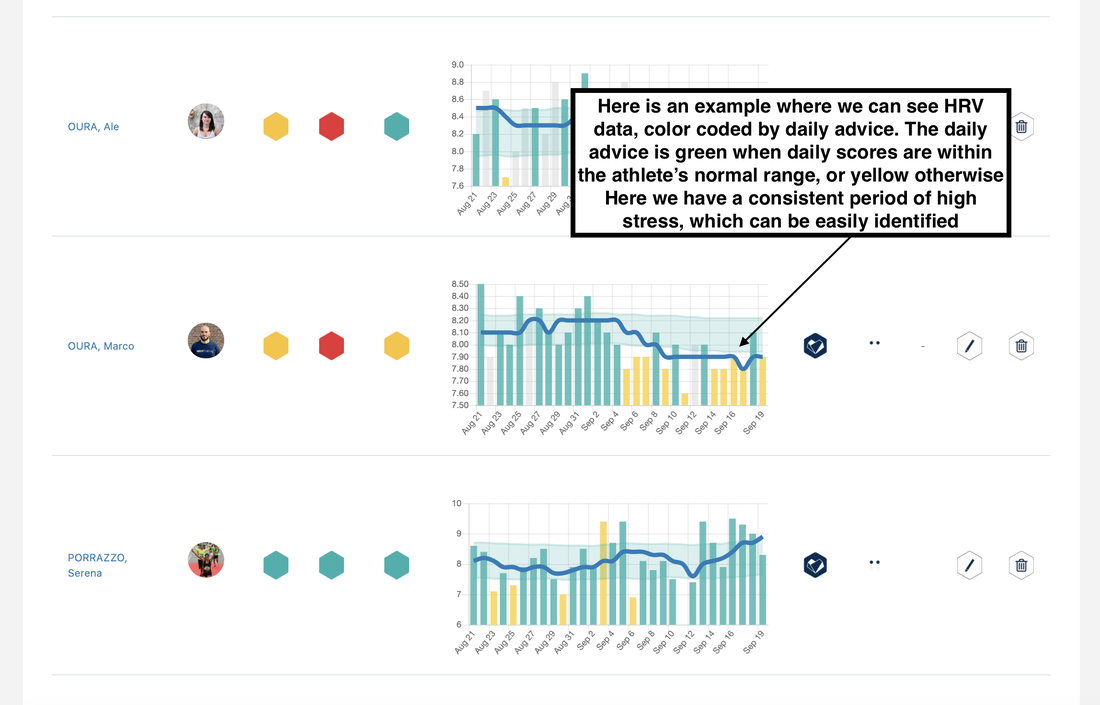 Comments are closed.
|


Register to the mailing list
and try the HRV4Training app! 

|
