|
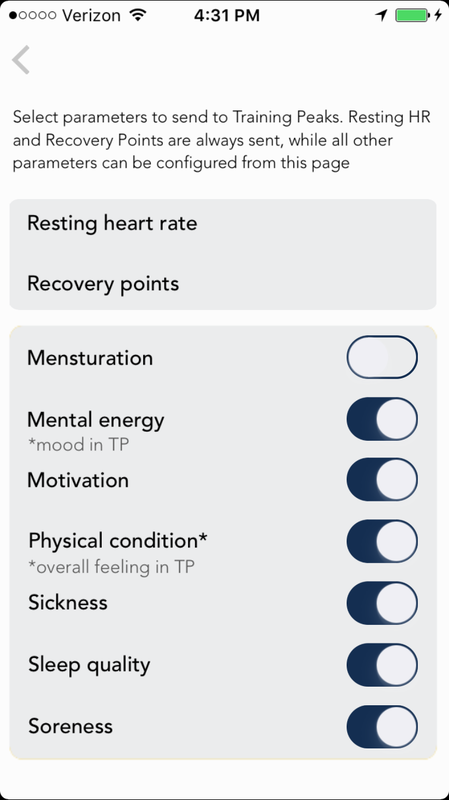
Blog post by Marco Altini Following feedback from a few users we have extended our integration with TrainingPeaks to allow you to send additional parameters logged as part of the HRV4Training morning tags. The integration will be available in HRV4Training 6.4.0 (to be released May 27th). All additional parameters will end up as TrainingPeaks Metrics, similarly to heart rate and HRV data. As we do not have a 1-1 match with TrainingPeaks metrics (we have continuous scales for some parameters), we had to make some choices to map tags in HRV4Training to metrics in TrainingPeaks. Here is what we came up with:
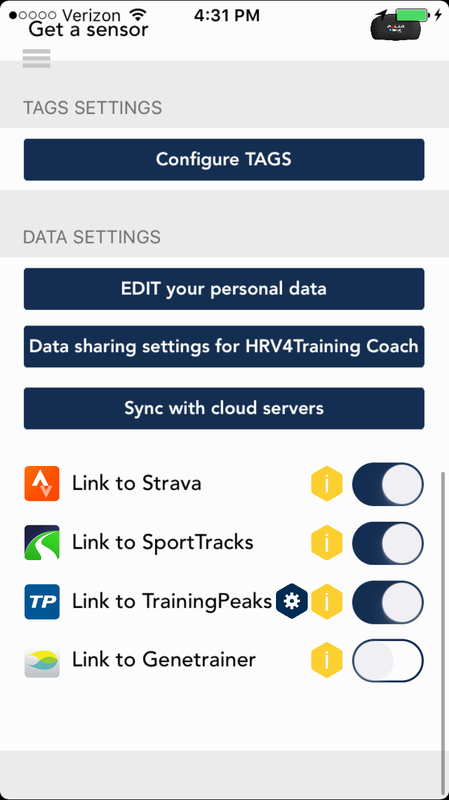
As you might be receiving the same data from different services, we do not send any of these parameters by default, but you have to enable them from your app Settings, as shown below:
If you'd like to add the parameters above to your future metrics, you can simply tap the small gear button next to "Link to TrainingPeaks" under Menu / Settings in HRV4Training and configures the tags you'd like the app to push. If you'd like to also send the same data for all your past measurements, you can do so in two ways. First, you can go to Menu / History and tap the measurements, the app will let you manually push each measurement to TrainingPeaks. A better solution is simply to go to Menu / Settings, unlink TrainingPeaks and link it again. Upon linking TrainingPeaks, HRV4Training will send all your historical data for all enabled parameters, so you can send everything in once. Below you can see an example of the 8 metrics I configured for my account on TrainingPeaks:  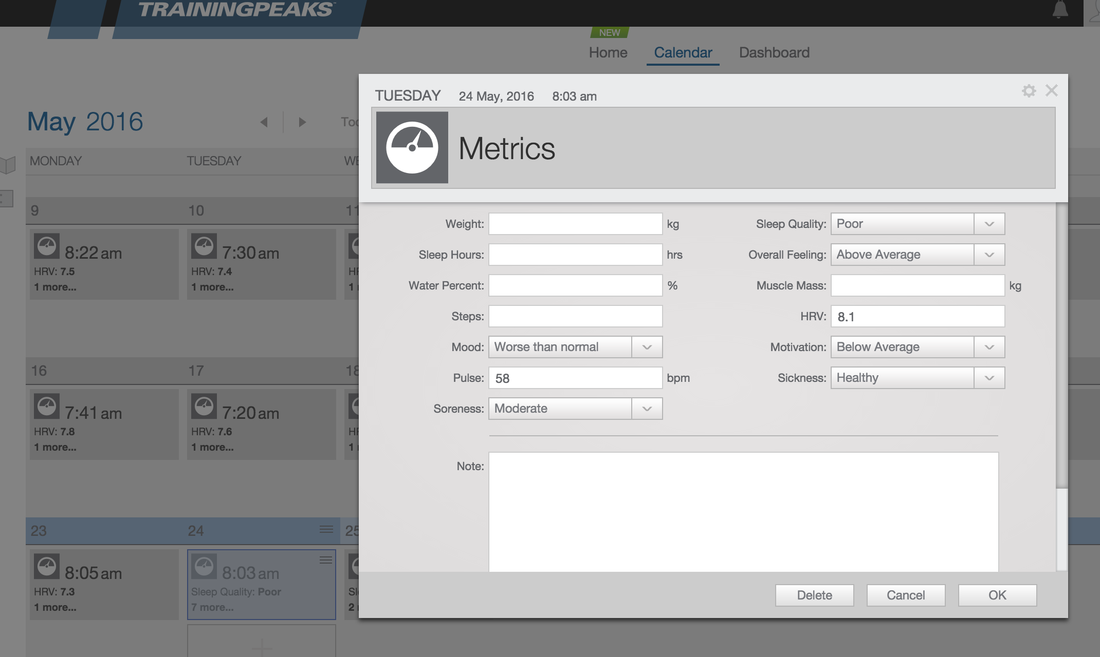 Thank you for your feedback, and please take a minute to review HRV4Training on the Apple store if you are enjoying the latest features. Thanks!
0 Comments
Your comment will be posted after it is approved.
Leave a Reply. |


Register to the mailing list
and try the HRV4Training app! 

|